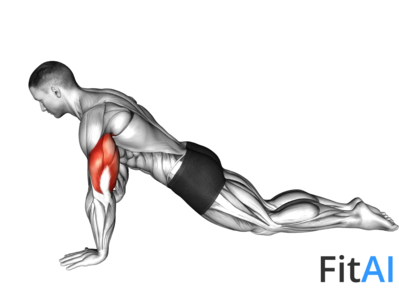
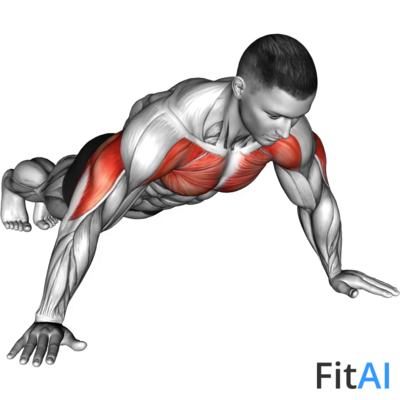
Swipe Kickback
Expert Advice
Maintain a brisk pace to keep your heart rate up, but ensure your movements are controlled for safety and effectiveness.
How-to-do Steps
- Begin in a standing position with your feet shoulder-width apart.
- Lean forward slightly and swipe one hand down towards the opposite foot.
- As you swipe down, kick the opposite leg back behind you.
- Return to the starting position and repeat on the other side, alternating with each rep.
Track Swipe Kickback in FitAI
Log your sets, reps, and weights automatically. Get AI-powered progressive overload recommendations and form feedback — personalized to your training history.
Muscles Worked
Swipe Kickback primarily targets the Quads, Hamstrings, Calves, Glutes, Chest, Shoulders, with Cardio mechanics using Body Weight. Understanding muscle activation patterns helps you focus on proper engagement and maximize training effectiveness.
Primary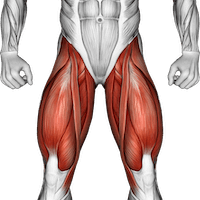
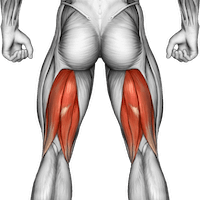
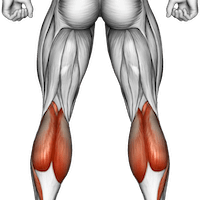
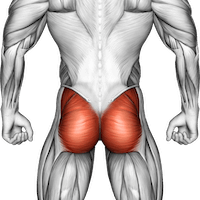
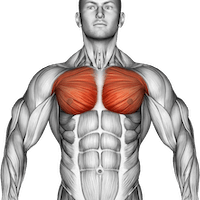
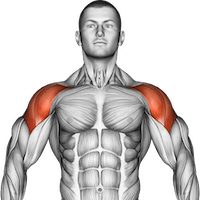
Quads15%
Hamstrings15%
Calves15%
Glutes15%
Chest20%
Shoulders20%
Equipment Body Weight
Exercise Type
Cardio
Sets & Reps Guidance
Beginner3 x 20s
Intermediate3 x 30s
Advanced4 x 45s
Frequently Asked Questions
What muscles does Swipe Kickback work?
Swipe Kickback primarily targets the Quads, Hamstrings, Calves, Glutes, Chest, Shoulders. It is classified as a Cardio exercise performed with Body Weight.
How many sets and reps should I do for Swipe Kickback?
For beginners, start with 3 sets of 20s. Intermediate lifters can do 3 sets of 30s. Advanced athletes can push to 4 sets of 45s. Adjust based on your goals and recovery capacity.
Is Swipe Kickback suitable for beginners?
Swipe Kickback is rated as intermediate difficulty. Beginners may want to start with lighter loads or simpler variations and progress to this exercise as their strength and coordination improve.